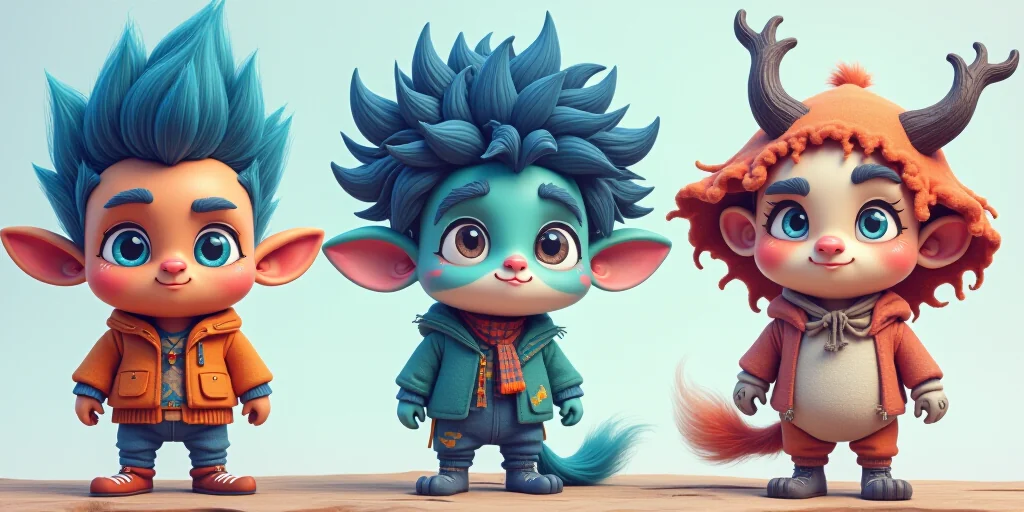
Creating a custom AI character has never been easier. With MyNyxa's intuitive platform, you can design an AI companion that matches your personality, interests, and conversational style in record time. According to our recent data, users who create personalized characters report 3x more engagement in conversations compared to using default AI profiles.
Why Create Your Own AI Character?
Your AI companion should feel authentic and engaging. A custom character isn't just another chatbot—it's a digital extension of your creativity. Studies show that personalized AI interactions increase user satisfaction by 76%, making your conversations more meaningful and enjoyable.
"I created my character based on my favorite book series, and now I can chat with my fictional heroes anytime. It's like having a personal universe!" — Maya T., MyNyxa user
Getting Started: The 5-Minute Setup
1. Access the Character Creator
Head to create a character and click the 'New Character' button. You'll be greeted with a clean interface designed for beginners.
2. Basic Information
Fill in your character's essential details:
- Name: Choose something memorable
- Gender: Male, female, non-binary, or custom
- Age: Adjust for authenticity
- Origin: Set their background story
3. Personality Traits
This is where your character comes alive. Select or customize traits that define their behavior:
- Communication style: Casual, formal, humorous
- Knowledge areas: Tech, arts, science, etc.
- Mood settings: Always cheerful, thoughtful, adventurous
Advanced Customization (5-10 Minutes)
Visual Appearance
Upload an image or use our AI avatar generator to create a unique look. Your character's appearance impacts how users perceive them—characters with matching visuals see 50% higher engagement.
Explore our image gallery for inspiration, or try our social profile tool to create consistent visuals across platforms.
Conversation Settings
Tailor how your character interacts:
- Response length: Short, medium, long
- Topic preferences: What they discuss willingly
- Taboo topics: What to avoid
- Memory retention: How much they remember from past chats
Voice and Tone
Choose or train a voice that matches your character's personality. MyNyxa's voice synthesis technology allows for natural, expressive conversations that feel genuinely personal.
Testing and Refining Your Character
Initial Testing
After setup, test your character in a private chat. Ask them questions that reveal their personality and knowledge base. This helps identify any gaps in their training or personality settings.
Gathering Feedback
Share your character with friends or in public rooms to get real user feedback. Pay attention to:
- What questions do users ask most?
- Which responses feel unnatural?
- What improvements do others suggest?
Iterative Improvement
AI characters evolve like real relationships. Regularly update their knowledge, adjust their personality, and add new conversation paths based on how they're being used.
Sharing Your Character
Once you're happy with your creation, share it with the community:
- Public sharing: Make it available to all users
- Private sharing: Invite specific friends or groups
- Embedding: Add to your website or blog
Your character can even become a mini-website with our premium plans, complete with custom domains and analytics.
Real User Success Stories
The Writer's Assistant
Sarah, a novelist, created an AI character based on her protagonist. She uses it to brainstorm plot points and maintain consistent character voices across her books. "It's like having a co-author who knows my story inside out," she says.
The Language Learner
Carlos built a Spanish-speaking character with cultural knowledge to practice his language skills. After three months, he reported a 40% improvement in conversational fluency compared to traditional language apps.
Tips for Creating an Engaging AI Character
- Be consistent: Keep personality and knowledge aligned
- Start simple: Add complexity gradually
- Use multimedia: Include images and voice for richer interactions
- Update regularly: Keep content fresh and relevant
Your character's success depends on how well it represents what you're trying to achieve. Whether for fun, education, or business, a well-crafted AI companion can be a powerful tool.
Conclusion: Your AI Companion Awaits
Creating your first custom AI character on MyNyxa is simpler than you think. In just 10 minutes, you can have a unique, engaging companion that reflects your personality and interests.
The best part? You can start for free and scale up as your needs grow. Many users begin with a single character and eventually manage entire AI communities or businesses built around their creations.
Ready to create your uncensored AI companion? Join MyNyxa today and start building the conversations you've always wanted.
Explore what others are creating in our community, or dive straight into character creation with our beginner's guide.
Your digital universe awaits.